kx9999 App – Play Slots, Fishing & Live Casino on Your Phone
The kx9999 app brings the full casino to your pocket. Fishing games, crash titles, live dealers and bKash/Nagad payments – all in one free APK built for Android phones used across Bangladesh.
Is the kx9999 APK Safe? Four Things to Know
Before you download, here is what the kx9999 app asks for and why – so you can make an informed decision.
No Spyware, No Hidden Code
The kx9999 APK is scanned before every release. It does not access your contacts, SMS inbox, camera or microphone. The app requests only the permissions needed to load games and process payments: Internet access, vibration (for win alerts) and storage (to save your session). Nothing else is requested on first install. You can review permissions at any time in Android Settings → Apps → kx9999.
All Connections Use HTTPS
Every request the app makes – login, game load, deposit, withdrawal – travels over TLS-encrypted HTTPS. Your bKash or Nagad transaction data is never sent in plain text. The app enforces certificate pinning, which means man-in-the-middle attacks on public Wi-Fi are blocked at the app level. If the certificate cannot be verified, the connection is refused and you will see a network error rather than a silent failure.
Your Account Stays Protected
The kx9999 app supports PIN-lock and biometric login (fingerprint) on compatible Android phones. Session tokens expire automatically after inactivity. If you log in on a new device, you will be prompted to verify via email or live chat before the session is activated. We recommend setting a strong unique password and enabling PIN-lock in App Settings → Security immediately after first login.
Download Only from kx9999.ws
Third-party APK mirror sites sometimes repackage apps with added adware. Always download the kx9999 APK directly from this page (kx9999.ws/kx9999-app/) or from the in-app update prompt. The official file is signed with the kx9999 developer certificate. If Android warns that the signature does not match a previously installed version, uninstall the old copy first, then reinstall from this page. Never install a file sent via WhatsApp or Telegram.
Install the kx9999 App on Android: 5 Steps
Android blocks APK files from unknown sources by default. Follow these steps in order and the install takes under two minutes.
-
1
Allow Unknown Sources
Open Settings → Security (or Privacy → Install Unknown Apps on Android 10+). Find your browser (Chrome or Firefox) and toggle Allow from this source to ON. This one-time step tells Android it is safe to install APKs you download yourself. You can turn it off again after installation to restore default security settings on your device.
-
2
Download the APK File
Tap Download APK Free on this page. Your browser will save
kx9999.apk(52 MB) to your Downloads folder. If Chrome asks "Keep or discard?" tap Keep – the file is safe. The download takes around 30–60 seconds on a typical mobile connection. Do not close the browser tab until the progress bar completes. -
3
Open the Downloaded File
Swipe down your notification shade and tap the completed download notification, or open your Files app and navigate to Downloads → kx9999.apk. Android will display an install preview screen showing the app name, icon and requested permissions. Review the permissions (Internet and Storage only) and tap Install to continue.
-
4
Wait for Installation
The installation usually takes 10–20 seconds. Android verifies the APK signature and unpacks the app. You will see a green "App installed" confirmation. Tap Open to launch immediately, or find the kx9999 icon in your app drawer. If you see "Parse error", the download was incomplete – delete the file and download again from this page.
-
5
Log In or Register
Open the app and tap Log In if you already have a kx9999 account. New players tap Register – the form takes about two minutes to complete. Enter your mobile number, set a password and confirm your bKash or Nagad number for deposits. Your account is active immediately. See our registration guide if you need help with any field.
Using an iPhone? Add kx9999 to Your Home Screen
Apple does not allow APK files, but the kx9999 mobile site works fully in Safari and can be pinned to your home screen like a native app.
- 1Open kx9999.ws in Safari on your iPhone or iPad.
- 2Tap the Share icon (box with an arrow pointing up) in the Safari toolbar at the bottom of the screen.
- 3Scroll down the share sheet and tap Add to Home Screen. Edit the name to "kx9999" if you like.
- 4Tap Add in the top-right corner. The kx9999 icon will appear on your home screen. Tap it to open the site in full-screen mode.
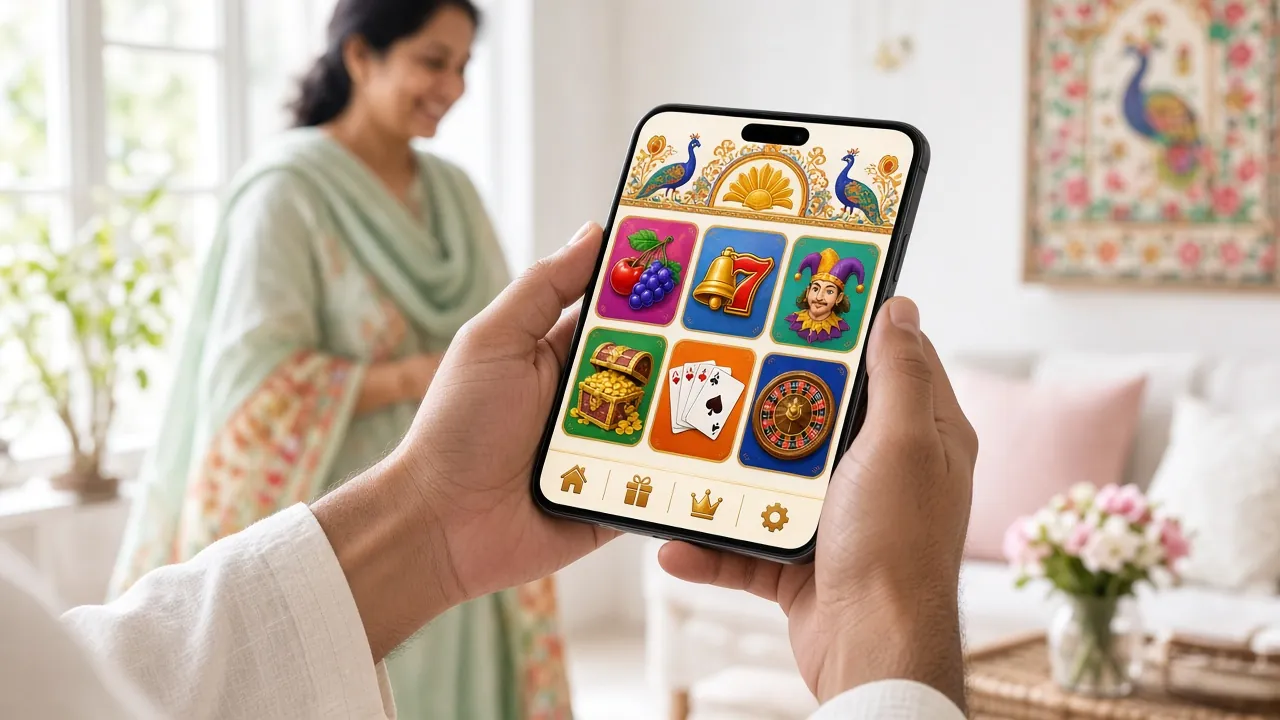
Download the kx9999 App & Check System Requirements
System Requirements & Version Info
| Detail | Value |
|---|---|
| App Version | 3.0.7 |
| File Size | 52 MB |
| Minimum Android | Android 8.0 (Oreo) and above |
| Last Updated | 3 November 2026 |
| Price | Free |
| Languages | English, Bangla |
| Supported Payments | bKash, Nagad, Rocket, Bank Transfer |
| Minimum Deposit | ৳400 |
| Customer Support | 24/7 Live Chat inside the app |
Six Reasons Players Keep the kx9999 App Installed
The app is not a stripped-down version of the site – it is the full platform. Here is what it covers.
Fishing & Crash Games
Fishing games like Caishen Fishing and All-Star Fishing run at full frame rate on the app. The touch controls are redesigned for mobile – aim, shoot and collect coins without fighting a tiny mouse cursor. Crash titles such as Mines load in under three seconds on a 4G connection. Minimum bet from ৳10, so you can play long sessions without pressure on your balance.
Live Dealer Tables
Evolution and Ezugi live tables stream directly in the app. European Roulette, Andar Bahar and other card games run in a compact layout built for portrait mode. The video quality adjusts automatically to your connection – HD on Wi-Fi, smooth standard quality on 4G. Live Chat with the dealer works through the in-app overlay without leaving the table.
bKash & Nagad Deposits
Deposits via bKash and Nagad process in about 3 minutes inside the app. The payment screen pre-fills your registered mobile number so you do not retype it each time. Rocket and Bank Transfer are also available. Minimum deposit is ৳400 with no app-specific fees. Withdrawals of up to ৳25,000 per day are processed in roughly 35 minutes.
Bonuses in the App
Your welcome bonus, reload offers and daily cashback all work in the app exactly as on the desktop site. The 170% first-deposit bonus (up to ৳27,000) is claimed via the Promotions tab in the app menu. Cashback of 1.3% is credited automatically every day. App users receive push notifications when a new promotion goes live – useful for reload bonuses that have short time windows.
24/7 Live Chat Support
Tap the chat bubble in the bottom-right corner of the app at any time. The support team is available around the clock in English and Bangla. Common queries – deposit not arriving, bonus not credited, verification document upload – are typically resolved in under ten minutes during peak hours. You can also email [email protected] for non-urgent matters.
Auto-Update Notifications
When a new version of the kx9999 app is released, a banner appears on the home screen of the app. Tap Update Now to download the new APK and install it over the existing version without losing your account data or settings. Updates are typically small patches (under 15 MB). Full version updates roll out roughly every six to eight weeks and add new games or payment features.
Games Available in the App


Over 3,900 games available. Browse the full casino lobby
kx9999 App vs Browser: Which Should You Use?
Both work. The table below shows the practical differences so you can decide what fits your phone and playing style.
| Feature | kx9999 App (APK) | Mobile Browser |
|---|---|---|
| Push Notifications for Bonuses | Yes – real-time alerts | No push notifications |
| Game Load Speed | Faster – assets cached locally | Loads each session fresh |
| Biometric / PIN Login | Fingerprint & PIN | Password only |
| Works on iOS (iPhone/iPad) | Android only | Any browser |
| Deposit via bKash / Nagad | Full support | Full support |
| Live Casino Streaming | Optimised for mobile | Works on Chrome / Safari |
| Auto-Update | In-app update banner | Always latest via browser |
| Storage Required | 52 MB on device | No device storage used |
| Works Without Stable Internet | UI loads; games need data | Needs data for all pages |
| Minimum Android Version | Android 8.0+ | Any modern mobile browser |
If your phone runs Android 8.0 or later and you play regularly, the app is the better option. For occasional play on any device, the browser version works without installation.
Install Problems? Check This Table First
Most install failures have a straightforward fix. Find your error message below.
| Problem / Error Message | Likely Cause | Fix |
|---|---|---|
| "Install blocked – Unknown sources" | Android's default security setting has not been changed yet. | Go to Settings → Security → Install Unknown Apps, find Chrome or your browser, and toggle it ON. Then tap the APK file again from your Downloads folder to restart the install. |
| "Parse Error – Problem parsing the package" | The APK file did not download completely, or the file was corrupted during transfer. | Delete the incomplete file from your Downloads folder. Re-download from this page on a stable Wi-Fi or 4G connection. Wait until the browser confirms the download is 100% complete before tapping the file. |
| "App not installed – Existing package conflicts" | An older version of the kx9999 APK from a different source is already on the phone. The developer signatures do not match. | Go to Settings → Apps → kx9999 and tap Uninstall. Download the latest APK from this page and install fresh. Your account data is stored server-side, so nothing is lost. |
| App installs but crashes on opening | Device runs Android 7 or older (below the minimum supported version), or RAM is too low. | Check your Android version in Settings → About Phone. The app requires Android 8.0 or later. If your version is older, use the mobile browser version at kx9999.ws which supports older devices. |
| Games load slowly or freeze mid-play | Weak mobile data signal, low available RAM, or background apps consuming resources. | Close background apps, switch to Wi-Fi if available, and clear the app cache via Settings → Apps → kx9999 → Storage → Clear Cache. For live casino, a signal of at least 10 Mbps is recommended for smooth video. |
Questions About the kx9999 App
Answers to the questions we hear most often from players in Bangladesh.
Is the kx9999 APK safe to install on my phone?
Yes. The kx9999 APK is scanned before each release and does not contain adware, spyware or any code that accesses your contacts or messages. It requests only Internet and Storage permissions. Download only from kx9999.ws – never from third-party mirror sites or files sent via messaging apps. If Android shows a warning about unknown sources, this is a standard system message for any APK and not an indicator of malware.
What Android version do I need?
The kx9999 app requires Android 8.0 (Oreo) or later. Most phones sold in Bangladesh from 2019 onwards run Android 9 or newer, so compatibility is rarely an issue. To check your version, open Settings → About Phone → Software Information. If your phone runs Android 7 or older, use the mobile browser version of kx9999.ws – it works on Chrome and Firefox without any install step.
How do I update the app to the latest version?
When a new version is available, a banner appears on the app's home screen. Tap Update Now and the new APK downloads automatically. After download, tap Install – the update installs over your existing app without deleting your account or settings. If you dismiss the banner, you can check for updates manually via App Settings → About → Check for Updates. Version 3.0.7 is the latest as of November 2026.
Can I use bKash and Nagad inside the app?
Yes. bKash and Nagad are both fully supported inside the kx9999 app. Tap Deposit from the main menu, choose your method, enter the amount (minimum ৳400) and confirm. The payment screen pre-fills your registered mobile number. Funds arrive in roughly 3 minutes. Rocket and Bank Transfer are also available for deposits and withdrawals. All payment screens use HTTPS encryption – your mobile banking PIN is never shared with kx9999.
Does the app work on iPhone or iPad?
The APK file is for Android only and cannot be installed on iPhone or iPad. iOS users can access the full kx9999 platform through Safari. Open kx9999.ws in Safari, tap the Share button, then tap Add to Home Screen. This creates a shortcut that opens the site in full-screen mode, similar to a native app. All games, deposits and withdrawals work the same way. Live Casino streams well on iPhone 11 and newer.
Will installing the app use a lot of mobile data?
The APK itself is 52 MB – a one-time download. After installation, slot games typically use 2–5 MB per session. Live Casino streams use more: roughly 150–300 MB per hour at standard quality. Fishing games fall in between at around 20–40 MB per 30-minute session. If you are on a limited data plan, connect to Wi-Fi for Live Casino. The app does not download large asset packs in the background unless you trigger a game load.
I already have an account on the website – do I need to register again in the app?
No. Your existing kx9999 account works in the app. Install the APK, open it and tap Log In. Enter the same mobile number and password you use on the website. Your balance, bonus history, VIP level and saved payment details all carry over automatically. If you have forgotten your password, tap Forgot Password on the login screen for a reset link. Need a new account? Visit kx9999 Register first.
18+ · Play Responsibly on kx9999
Gambling is for entertainment. Set deposit limits, take breaks and never chase losses. Help is available 24/7.